If you have ever stayed up past midnight reformatting a gap-fill worksheet or hunting for a reading text at the right CEFR level, you already know the answer intuitively. But the numbers are still striking: surveys of ESL and EFL teachers consistently find that 5 to 10 hours per week go toward creating and adapting teaching materials. For a full-time teacher with 20 contact hours, that is a second part-time job, one that produces no extra pay and rarely gets acknowledged in workload discussions.
This article breaks down exactly where that time goes, offers practical ways to reclaim some of it, and looks at how purpose-built tools can handle the mechanical parts of material creation so you can focus on the parts that actually require your professional judgement.
What Actually Eats Your Prep Time
Finding source material at the right level
Before you can write a single exercise, you need something to work with: a text, a grammar context, a set of vocabulary. Finding a reading passage that is genuinely appropriate for B1 learners (not just labelled B1 by a publisher with different standards) can take 20 to 40 minutes on its own. You read three articles, decide one is too dense, one is too thin on content, and the third has a paywall.
The CEFR descriptors give us a principled framework. B1 texts should feature "straightforward factual information on familiar subjects" with "predictable structure." But applying that framework to raw internet content requires constant judgement calls. It is skilled work, and it takes time.
Formatting and layout
Once you have your content, you still have to make it look like a worksheet. That means choosing fonts, setting margins, numbering items consistently, deciding whether to bold the instructions or italicise the example, and then realising that your gap-fill has spilled onto a second page and you need to compress everything. A worksheet that takes 15 minutes to write can take another 30 minutes to format to a professional standard.
Many teachers default to whatever template they used last time, which leads to a slow accumulation of inconsistencies across a course: different fonts in different units, numbering that resets mid-page, answer keys stapled separately with no clear reference to the questions.
Writing and checking answer keys
Answer keys sound trivial until you are writing one for a 35-item grammar worksheet. You need to decide what counts as an acceptable alternative answer for a sentence transformation. You need to check that your multiple-choice distractors are actually wrong (and wrong for the right reasons, not just awkward or unlikely). For reading comprehension, you need to decide whether a student's paraphrase is close enough to the model answer.
This is genuinely difficult work. It is also the part most likely to be rushed, which means errors slip through and you spend lesson time fielding confused questions about question 14.
Levelling and differentiation
Teaching a mixed-ability group? Now multiply your prep time. Creating an A2 version and a B1 version of the same reading task means essentially building two worksheets. Most teachers either skip differentiation entirely (and feel guilty about it) or spend double the time (and feel exhausted).
The cumulative effect
None of these tasks is impossible. Each one is just slower than it should be, and they stack. A single lesson's worth of materials (a short reading text, a vocabulary pre-teach, a grammar focus exercise, a writing prompt) can easily consume two to three hours when you account for finding, formatting, writing, checking, and printing. Multiply that across a week and the 5–10 hour figure starts to look conservative.
Practical Ways to Cut Your Prep Time
The goal is not to lower your standards. It is to stop spending professional time on mechanical tasks that do not require your expertise.
-
Build a swipe file of reliable text sources. Identify three or four sources you trust for each CEFR band, sources whose level is consistent and whose content is appropriate for adult learners. Stop searching from scratch every time.
-
Create a formatting template once and protect it. Spend one hour building a Word or Google Docs template with styles already set for instructions, example items, and answer lines. Lock the styles so future-you cannot accidentally change them in a hurry.
-
Write answer keys first. This sounds counterintuitive, but writing the key before you finalise the exercise forces you to check that every item has a defensible correct answer. It is faster than retrofitting the key at the end.
-
Batch similar tasks. Write all your gap-fills for the week in one sitting, all your multiple-choice items in another. Context-switching between exercise types is a hidden time cost.
-
Reuse and regenerate rather than rebuild. If a worksheet worked well with one class, the configuration that produced it is the valuable thing, not the specific sentences. A new group at the same level needs the same exercise structure but fresh content. Keeping track of your configurations (topic, level, exercise types, item count) lets you rebuild quickly without starting from zero.
-
Accept "good enough" formatting for low-stakes materials. Save your careful layout work for materials that will be reused many times. A one-off warm-up activity does not need to be publication-ready.
How to Create This with TeacherForge
The tasks above (finding level-appropriate content, generating exercises, writing answer keys, formatting output) are exactly the mechanical steps that AI-assisted tools handle well. TeacherForge is built specifically around the ESL teacher's workflow, which means it understands CEFR levels, exercise conventions, and the difference between a gap-fill and an open cloze.
Here is how the time savings break down across different material types.
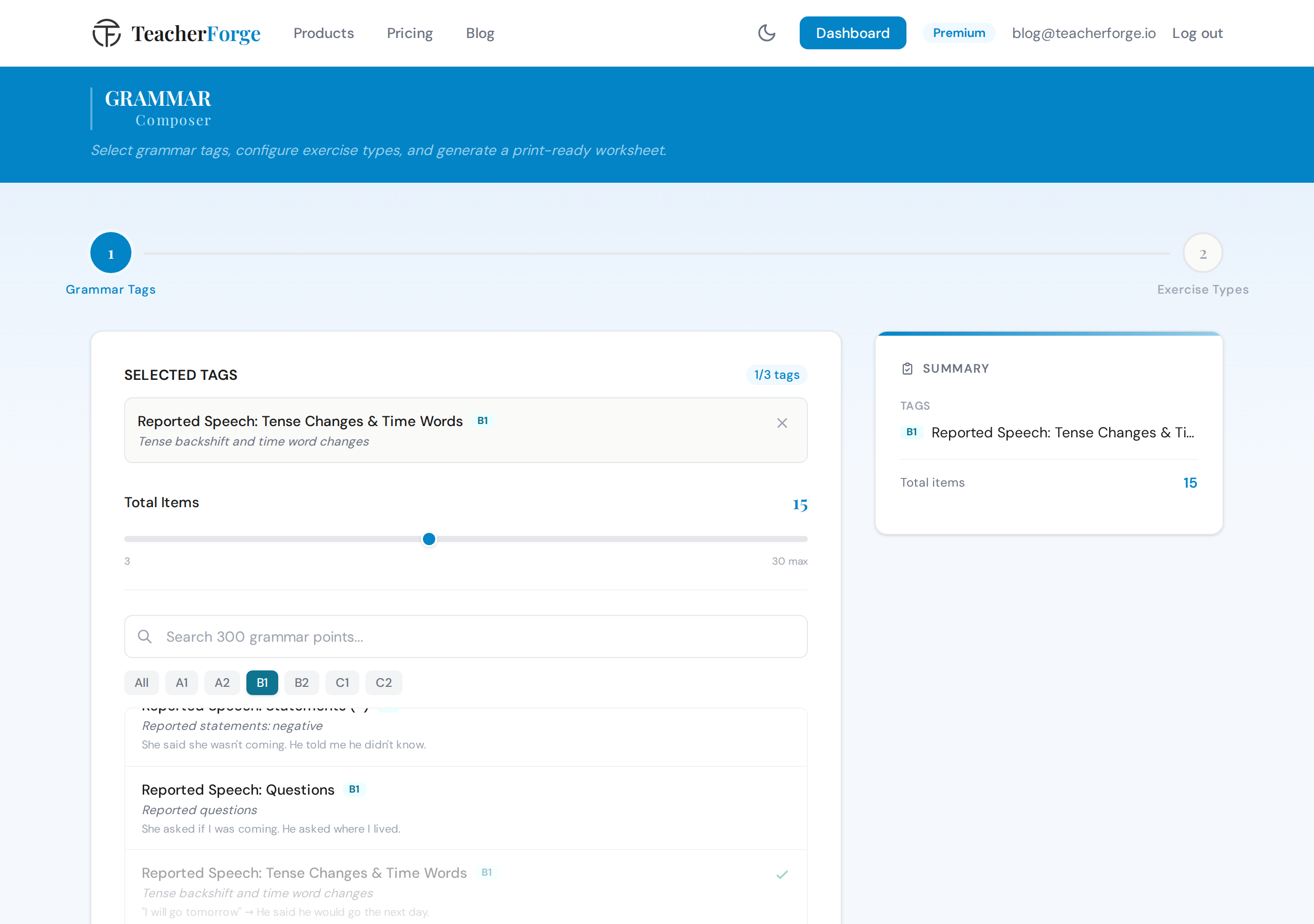
For grammar worksheets, the Grammar Composer lets you select up to three grammar points from a 300-point CEFR curriculum, things like "present perfect with just/already/yet" at B1, or "third conditional" at B2. You choose the total on a slider sized to your grammar points, and the system distributes the items across exercise types (gap fill, sentence transformation, error correction, and more). The complete worksheet and answer key are generated together and download as a print-ready PDF and an editable DOCX. No formatting, no key to write separately.
For vocabulary, the Vocabulary Composer offers three routes: paste in your own word list, browse 528 pre-curated subtopics organised by domain and CEFR level, or paste any text and let it extract the key vocabulary. The AI enriches each word with part of speech, definition, and level tag before you build exercises, so you are working from a verified list, not guessing. Gap fill's extra box words come from your confirmed word list and multiple choice's wrong definitions are written for each word, which means they are plausible but not arbitrary.
For reading, the Reading Comprehension Composer generates a passage at your chosen CEFR level on any topic you specify. Article, story, email, report, and other formats are all available. Crucially, you review the passage before exercises are generated. If the text is not quite right, you can adjust before committing to the exercise build. Five presets (including Cambridge Style and IELTS Style configurations) give you a starting point for the exercise section.
For writing tasks, the Writing Task Composer produces five components in a single generation: a contextualised prompt, a planning checklist, a useful language box with CEFR-calibrated phrases and connectors, an assessment rubric, and a model answer. That is a complete writing lesson pack, not just a prompt.
For listening, the Listening Exercise Composer works from a curated library of pre-recorded scripts and audio. You browse by level, format (conversation, interview, lecture, news report, and others), and topic, preview the full script and audio, then configure your exercises. The output bundles the transcript PDF, audio file, and student worksheet together.
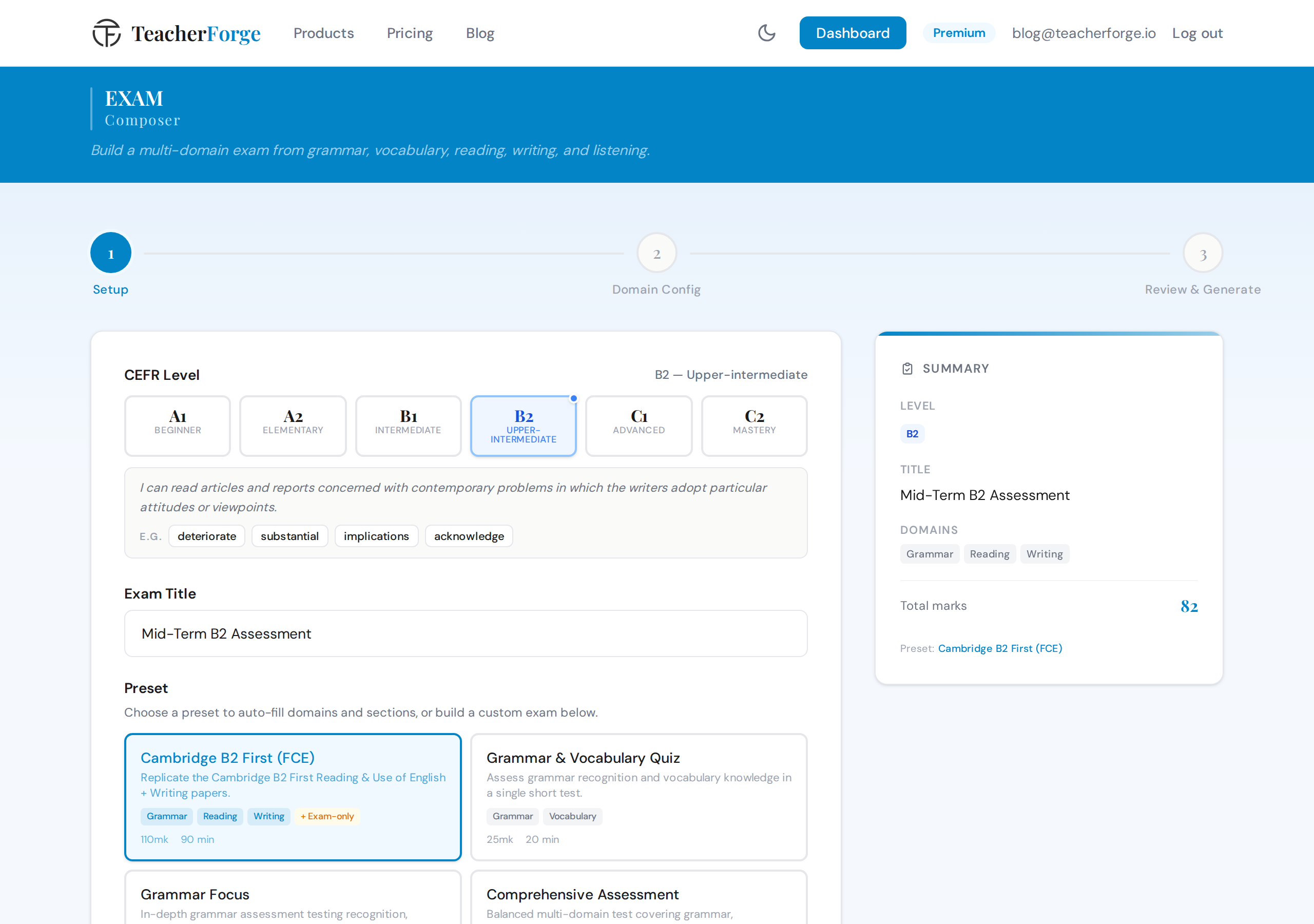
For exams and end-of-unit tests, the Exam Composer lets you combine any of the five skill domains into a single unified test. All the domains generate in parallel, with a single answer key and consistent formatting throughout.
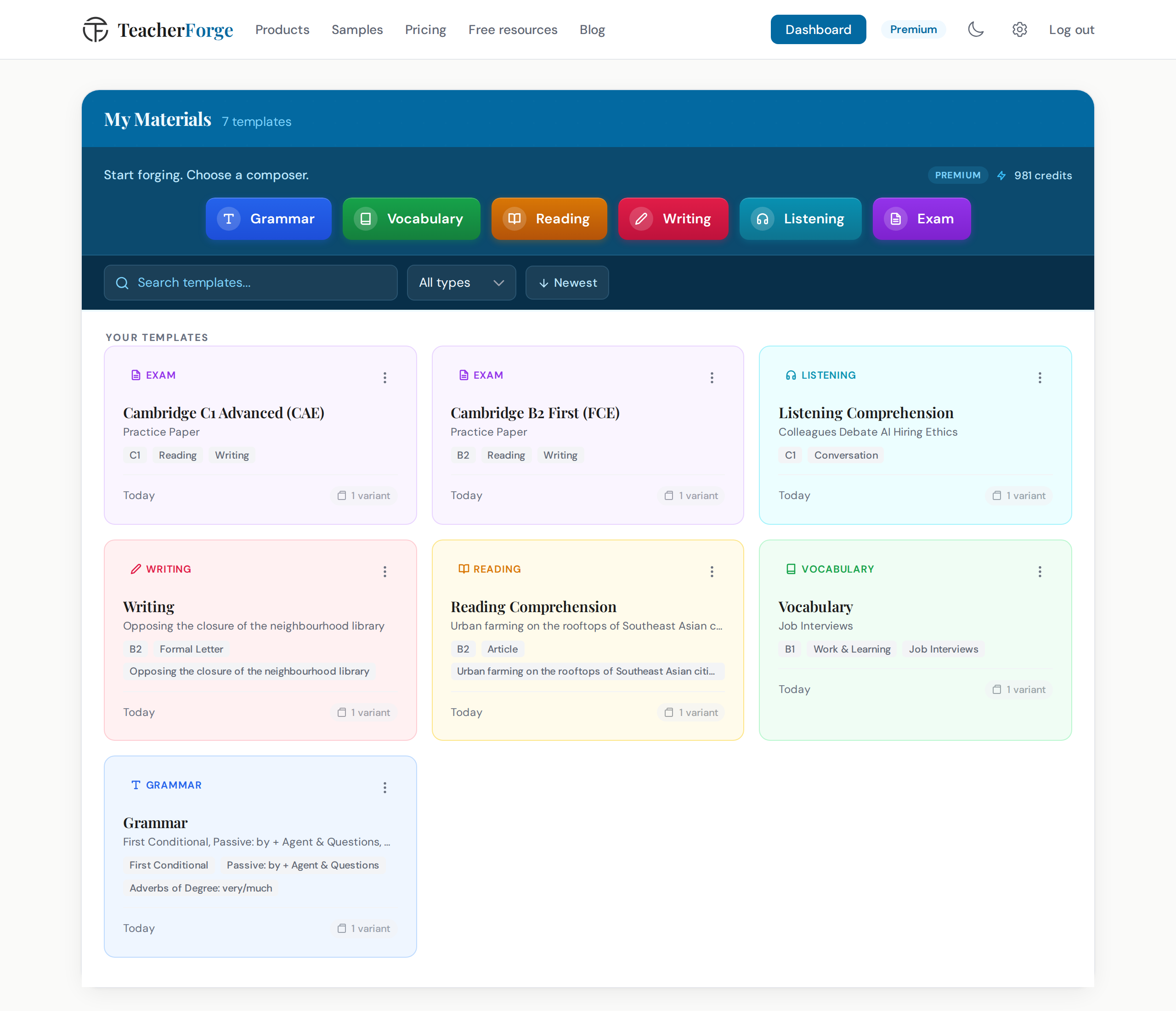
Every generation automatically becomes a reusable template on your dashboard, with no saving required. When you need a fresh worksheet for a new group at the same level, you open the dashboard, find the template card, and choose "Regenerate" from its menu. The configuration stays the same; the content is new. That is the moment where the time saving compounds: you are not rebuilding from scratch, you are regenerating from a configuration that already works.
Start Reclaiming Your Prep Hours
The 5–10 hours a week that ESL teachers spend on material creation is not a fixed cost. A significant portion of it (the formatting, the answer key writing, the exercise generation) is mechanical work that does not require your expertise. Your expertise is in knowing what your learners need, sequencing activities well, and responding to what happens in the room.
If you teach grammar at B1 or B2, the Grammar Composer is the fastest place to start. Select your grammar points and generate a complete worksheet with its answer key. For vocabulary-heavy lessons, the Vocabulary Composer handles the enrichment and exercise build in one flow. Full reading lessons, writing task packs, listening materials, and mixed-skill exams each have their own dedicated composer. The ESL worksheet generator page lists all six side by side.
Try creating your first material with TeacherForge → Start with the Grammar Composer