If you've ever spent an evening hunting for a worksheet that almost fits your class (wrong level, wrong topic, no answer key) you already know the problem. Learning how to create an ESL worksheet from scratch sounds time-consuming, but with the right approach it genuinely takes about five minutes. This guide walks you through the full process, from deciding what you need to holding a print-ready PDF.
Section 1: Before You Build Anything, Know What You Actually Need
The biggest time sink in material creation isn't the writing. It's the decision-making. Teachers often open a blank document, stare at it, and then spend 20 minutes deciding what to put in. Front-loading those decisions makes everything else fast.
Step 1: Pin down the CEFR level
Be specific. "Intermediate" is not a level. B1 is. If your class is mixed, aim for the modal level in the room and plan a short extension task for stronger students. CEFR descriptors are public and free; the Council of Europe's website lists can-do statements for every level if you need a refresher.
For exam classes, the level is usually non-negotiable: B2 for Cambridge First, C1 for Cambridge Advanced. For general English, ask yourself what your learners can already do reliably before choosing a level for new material.
Step 2: Choose one skill and one focus
A worksheet that tries to practise grammar, vocabulary, and writing simultaneously usually does none of them well. Pick one:
- Grammar: a specific structure (e.g., present perfect with for/since, third conditional)
- Vocabulary: a topic set (e.g., medical vocabulary, phrasal verbs for communication)
- Reading: a text type and comprehension angle (e.g., a B2 news article with inference questions)
- Writing: a task type (e.g., a formal letter at B1)
- Listening: a format (e.g., a B1 conversation between two people)
One skill, one focus. That's the rule.
Step 3: Decide on exercise types
Not all exercise types suit all levels or learning goals. Here are some sensible defaults:
For lower levels (A1–B1):
- Gap fill: low production demand, good for noticing
- True/false: accessible, quick to mark
- Matching: visual, manageable cognitive load
- Word ordering: good for syntax awareness at A2–B1
For higher levels (B2–C2):
- Error correction: demands metalinguistic awareness
- Sentence transformation: mirrors Cambridge exam tasks
- Multiple matching: requires scanning and inference
- Cause/effect questions: good for academic reading
Mixing two or three types in one worksheet keeps the lesson varied without overwhelming the page.
Step 4: Think about the answer key
This sounds obvious, but many teachers produce worksheets and then spend 10 minutes writing the answer key separately. Plan for it from the start. A worksheet without an answer key is an incomplete resource; you'll need it for self-study, cover lessons, or simply marking quickly between classes.
Section 2: Practical Tips for Building Worksheets Efficiently
Once you know what you need, here's how to move fast.
1. Use a consistent template
Every worksheet you produce should look the same: your header, the level label, instructions in the same position, exercise numbering that resets per section. Consistency reduces cognitive load for students and makes marking faster for you.
2. Write instructions before content
Draft the instruction line first ("Circle the correct option", "Rewrite the sentence using the word given"). It forces you to commit to the exercise type before you start writing items, which prevents the common drift where your gap fill quietly becomes something else halfway through.
3. Set a minimum item count per exercise type
Fewer than five items in a grammar exercise gives you almost no diagnostic information. Aim for:
- Gap fill / multiple choice: 8–12 items
- Error correction: 6–8 sentences
- Short answer reading questions: 4–6 questions
- Writing task: 1 task with full support materials
4. Batch your prep
If you're making a worksheet for Tuesday, make one for Thursday at the same time. The cognitive setup cost (choosing level, topic, exercise types) is paid once. The second worksheet takes a fraction of the time.
5. Save every configuration you use
When something works, keep it. A B2 grammar worksheet on modal verbs that your class responded well to is a configuration worth repeating, with different items next time. The structure stays; the content refreshes.
Section 3: How to Create This With TeacherForge
TeacherForge is built around exactly the workflow above. Five of the six composers map to one skill area each, the sixth combines them into an exam, and the wizard steps mirror the decisions in Section 1. Here's a quick walkthrough of the most common paths.
Grammar worksheets
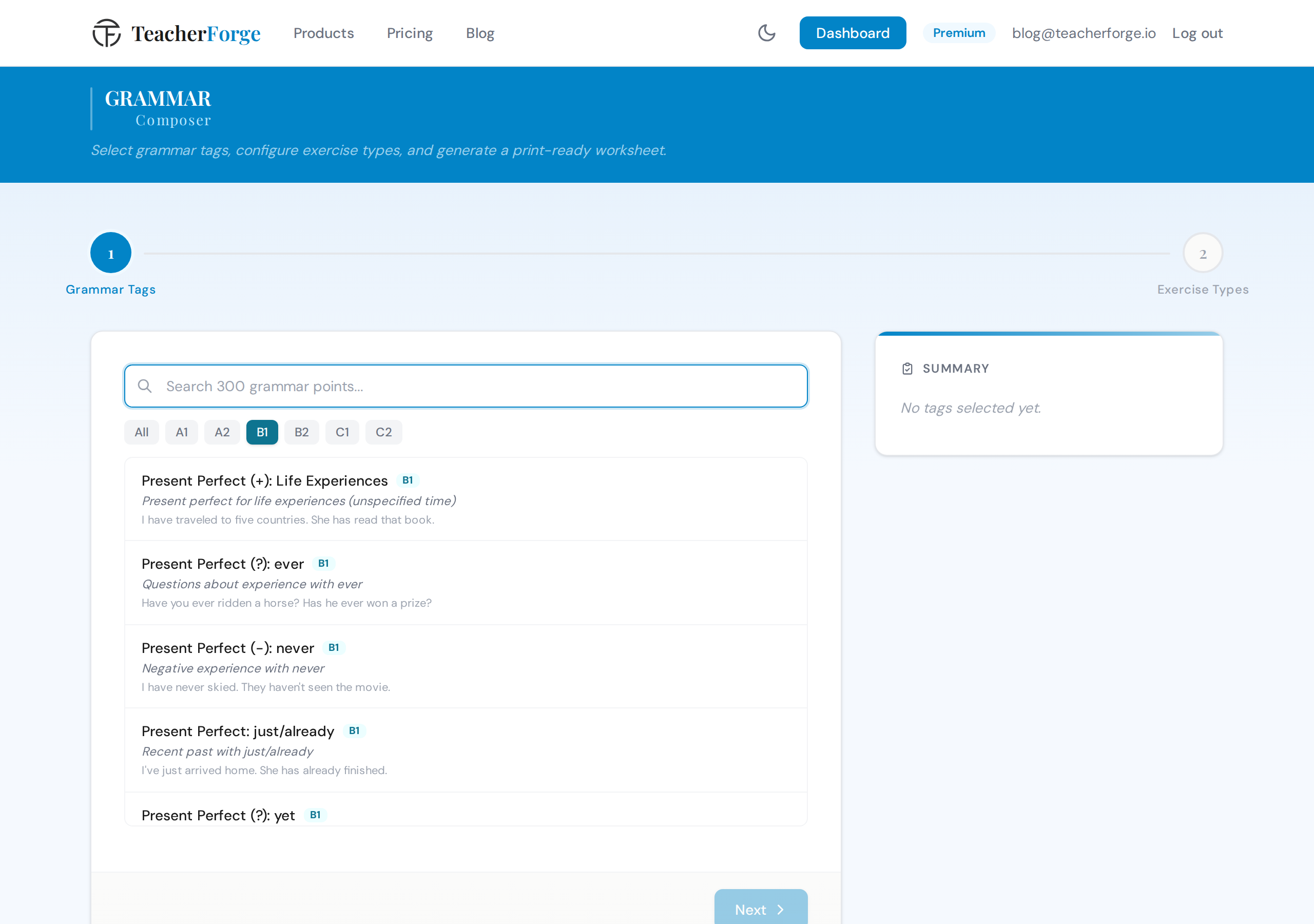
Open the Grammar Composer at /products/grammar. In Step 1, search and select 1–3 grammar tags from a 300-point CEFR curriculum, for example "present perfect" at B1 or "third conditional" at B2. Choose the total on a slider sized to your tags and the system distributes items across them. In Step 2, you see the exercise type breakdown (gap fill, multiple choice, sentence transformation, error correction, and more) and can adjust counts before hitting Generate.
The output is a print-ready PDF and editable DOCX, both with a complete answer key. That generation automatically becomes a template on your dashboard, with no saving required.
Vocabulary worksheets
The Vocabulary Composer at /products/vocabulary gives you three paths. If you have a specific word list, perhaps vocabulary from a coursebook unit, paste it directly into the "My Words" path (8–30 words). If you want the system to suggest a word set, use the Topic Explorer: choose a CEFR level, pick from 11 domains, then select one of 528 pre-curated subtopics. If you have a text, paste it into "From Text" and the key vocabulary is extracted for you.
After confirming the word list, you build your exercise sections: matching, gap fill, multiple choice, true/false, or word ordering. Gap fill's extra box words are drawn from your confirmed word list and multiple choice's wrong definitions are written for each word, so every wrong option is a plausible confusion. Pedagogically sound and exam-realistic.
Reading comprehension worksheets
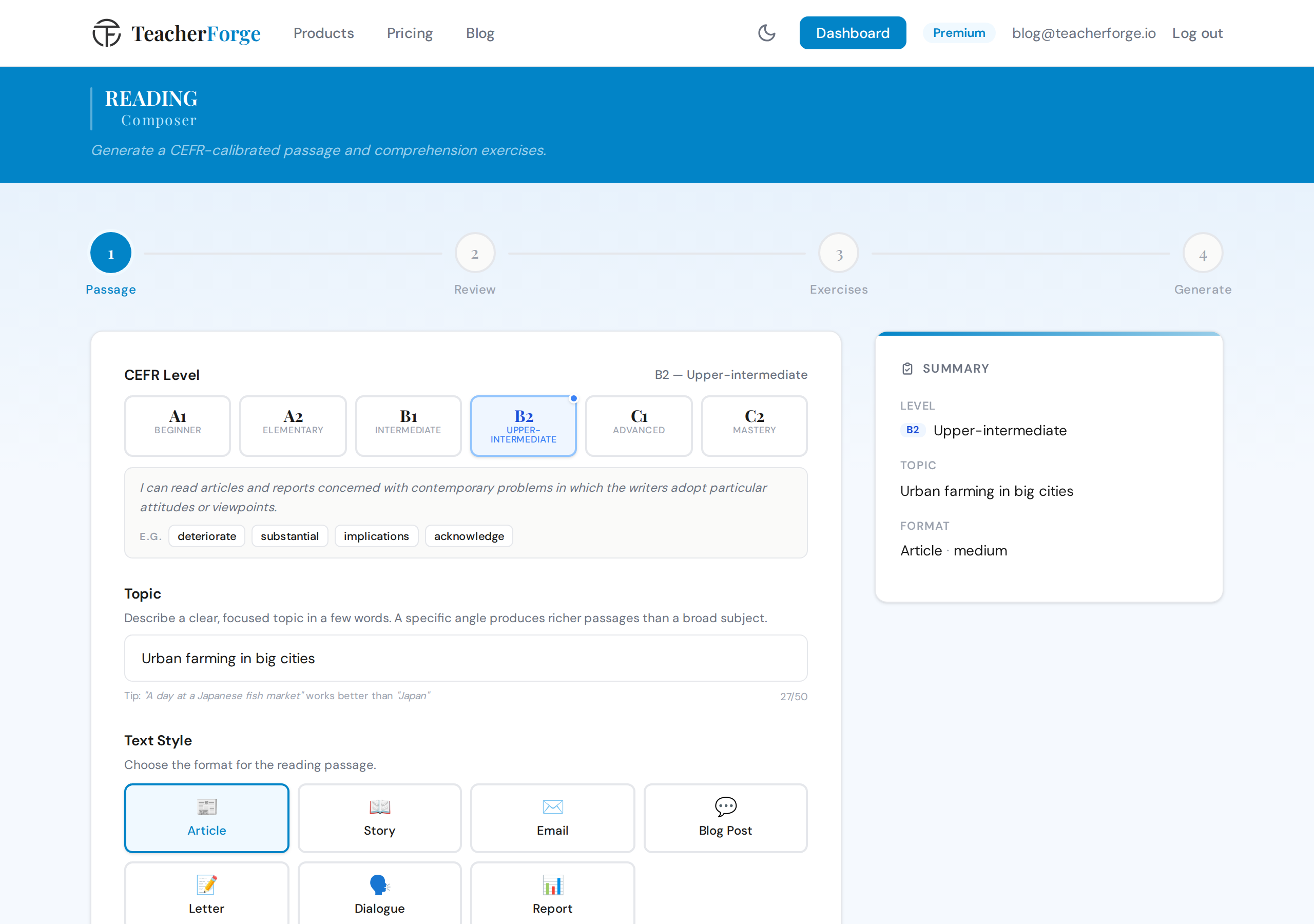
The Reading Comprehension Composer at /products/reading uses a two-step flow that puts you in control of the text before any exercises are generated. In Step 1, set the CEFR level, type a topic in free text (e.g., "urban farming"), choose a text style (article, blog post, email, story, dialogue, report, or letter), and set the passage length. The passage is generated and shown to you for review before you touch the exercise builder.
Once you're happy with the text, move to the exercise composer. Five presets are available, including Cambridge Style and IELTS Style, or you can configure manually. Exercise types are level-gated: sequencing is available for stories at A1–B1, while matching headings and cause/effect questions require B1 or above.
Writing task worksheets
The Writing Task Composer at /products/writing produces a complete five-component package from a single generation: a writing prompt, a planning checklist, a useful language box with CEFR-calibrated phrases and connectors, an assessment rubric, and a model answer at the target level. Choose a task type (essay, formal letter, informal letter, report, review, article, story or proposal; some are level-gated), enter a topic, and select which optional components to include.
This is particularly useful for exam classes: the assessment criteria component produces a CEFR-aligned rubric you can hand directly to students for peer assessment.
Listening worksheets
The Listening Composer at /products/listening works differently from the others. It's a library model. Pre-generated script and audio bundles are organised by level, format (conversation, interview, lecture, news report, and more), and topic. You browse, preview the script and audio, confirm your selection, then configure exercises. The output bundles the audio file, transcript PDF, and student worksheet together. Browsing is free; exercise generation costs one credit.
Full exams
If you need a multi-skill assessment rather than a single worksheet, the Exam Composer at /products/exam lets you combine any of five domains (grammar, vocabulary, reading, writing, listening) in one generation. Cambridge B2 First and C1 Advanced presets are built in, or you can configure each domain manually. All the domains generate in parallel and output as a unified PDF with a single answer key.
The dashboard: regenerate without re-setup
Every generation, regardless of which composer you used, automatically becomes a template on your dashboard at /dashboard. Each template card shows the product type, CEFR level, tags or topic, and how many variants you've generated from it. Choose "Regenerate" from any card's menu to produce fresh exercises with the same configuration. Same structure, new content, one click.
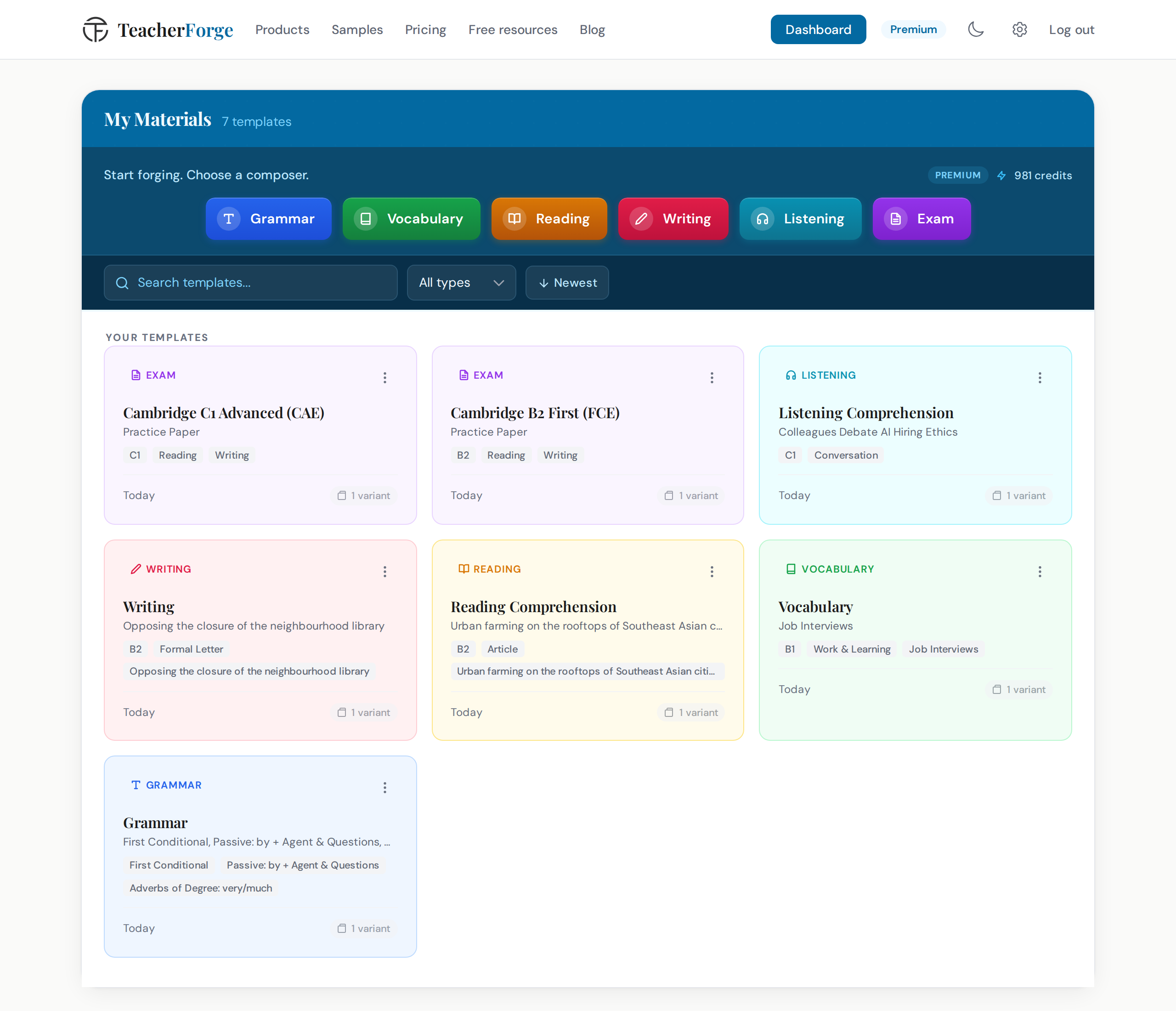
This is where the five-minute claim really holds up. The first time you build a worksheet for a B1 class on the present perfect, it takes five minutes. Every subsequent variant reopens that configuration, ready to generate again.
Section 4: Keep Reading and Get Started
If you're curious about where the time actually goes in ESL material prep, and how much of it is recoverable, the article How Much Time Do ESL Teachers Spend Creating Materials (and How to Cut It in Half) is worth a read.
Ready to build your first worksheet? Choose the skill you're teaching this week and try it:
- Grammar worksheet → Grammar Composer
- Vocabulary worksheet → Vocabulary Composer
- Reading comprehension → Reading Comprehension Composer
- Writing task → Writing Task Composer
- Listening exercise → Listening Exercise Composer
- Full exam or test → Exam Composer
Not sure which one? The ESL worksheet generator page sets the six out together with what each produces. If you are building a whole paper rather than one sheet, the ESL exam maker page shows how the domains combine into a single document.
The free plan includes 18 credits at signup, enough to build a full week of materials before you decide whether it fits your workflow.