There are more AI worksheet generators aimed at teachers now than anyone can reasonably evaluate. Some promise to replace your entire planning workflow. Others produce a single gap-fill exercise and call it a day. As ESL and EFL teachers, we face a particular challenge: most of these tools were built for classroom teachers in general, not for language teaching specifically. The result is a lot of wasted time trialling tools that look promising but fall apart the moment you need a B2 reading worksheet with matching headings, or a vocabulary set adapted to CEFR A2.
This article maps the landscape of AI worksheet generators, lays out the criteria that actually matter for language teaching, and gives you a checklist you can apply to any tool before you commit to it.
The Three Archetypes of AI Worksheet Tools
After working through the options available in 2026, most AI worksheet generators fall into one of three categories. None of them are useless, but each has a ceiling that language teachers hit quickly.
The General-Purpose Lesson Planner
This archetype treats ESL as one subject among many, alongside maths, science, and history. The interface is broad by design: you type a topic, select a grade level (usually US K–12 grades, not CEFR levels), and receive a lesson plan with some exercises attached.
What it gets right: the scope is impressive. These tools can generate a lesson outline, a few discussion questions, and a short reading in one go. For a generalist teacher covering many subjects, that breadth is useful.
Where it falls short: language teaching is not a subject in the same sense. Grammar at B1 is structurally different from grammar at A2. A reading text appropriate for a C1 student is not just a longer version of an A1 text. When a tool uses US grade levels instead of CEFR descriptors, it cannot make those distinctions. The exercises it produces are often grammatically valid but pedagogically vague: comprehension questions that could apply to any text, vocabulary lists with no level calibration, writing prompts with no scaffolding.
The Single-Exercise Generator
This archetype does one thing: it takes a word list or a grammar point and produces one exercise type, usually a gap-fill or a matching activity. The interface is simple and the output is fast.
What it gets right: speed and simplicity. If you need ten gap-fill sentences on the present perfect by tomorrow morning, this kind of tool can deliver. The barrier to entry is low, and the output is usually clean enough to print.
Where it falls short: a single exercise type is rarely sufficient for a class. Effective vocabulary teaching, for example, benefits from moving students through recognition (matching, multiple choice) toward production (gap fill, word ordering). A tool that only generates matching activities cannot support that progression. Similarly, a grammar worksheet that only uses gap fill does not test whether students can apply a structure in context, correct errors, or transform sentences. Teachers end up using two or three separate tools to cover what one integrated system should handle.
The Prompt-and-Pray Tool
This archetype is essentially a wrapper around a general-purpose AI model with a teacher-friendly interface. You describe what you want in natural language, the model generates something, and you edit whatever comes out.
What it gets right: flexibility. Because the input is freeform, you can ask for almost anything. Experienced teachers who know how to write precise prompts can get reasonable results.
Where it falls short: the quality is entirely dependent on how well you phrase the request. Ask vaguely and you get vague output. Ask precisely and you still have no guarantee the model will respect CEFR constraints, produce the right number of items, or format the output consistently. There is no structural validation. A sentence transformation exercise might have six items when you needed four, or the distractors in a multiple-choice section might be implausible. Every generation requires careful checking, and the output arrives as raw text that still needs formatting before it can go in front of students. For teachers already spending five to ten hours a week on material preparation, adding a proofreading and formatting step is not a saving.
What Actually Matters: Evaluation Criteria for ESL Teachers
Once you understand the archetypes, the question becomes: what should a genuinely useful AI worksheet generator for ESL teachers actually do? Here are the criteria worth applying.
CEFR Alignment, Not Grade Levels
The Common European Framework of Reference is the shared language of EFL and ESL teaching globally. A tool that uses US grade levels instead of CEFR descriptors cannot make the distinctions that matter: the difference between A2 and B1 vocabulary, the exercise types appropriate for C1 students versus A2 students, or the reading text length that suits a particular level.
CEFR alignment should run through every part of the tool, not just a label on the output. Level should gate which exercise types are available, how long a reading passage is, what vocabulary definitions look like, and which exam formats are relevant.
Exercise Type Variety
A credible AI worksheet generator for ESL should support multiple exercise types across skills, and it should know which types work for which levels and which grammar or vocabulary points. Gap fill is not always appropriate. Sentence transformation is not always appropriate. The tool should encode those constraints rather than leaving the teacher to guess.
For grammar, useful exercise types include gap fill, open cloze, multiple choice, error correction, word ordering, sentence transformation, true/false, sentence completion, and select-and-combine. For vocabulary, matching, gap fill, multiple choice, true/false, and word ordering each test different aspects of word knowledge. Reading comprehension benefits from multiple choice, true/false/not given, short answer, matching headings, multiple matching, note completion, and cause and effect. A tool that offers only one or two types across all skills is a single-exercise generator with better marketing.
Pre-Generation Control vs Post-Generation Editing
This is the distinction that separates tools built for language teaching from tools built for general convenience. Pre-generation control means the teacher configures what they want before the AI generates anything: the level, the grammar point, the exercise types, the item counts, the text style. Post-generation editing means the teacher receives a block of text and then fixes whatever is wrong.
Pre-generation control is better for three reasons. First, it produces more consistent output because the AI is working within defined parameters. Second, it saves time because there is less to fix. Third, it respects the teacher's expertise: we know what our students need before we generate anything, and the tool should let us express that knowledge upfront.
Output Format Flexibility
A worksheet that exists only as text on a screen is not ready to use. Teachers need print-ready PDFs for classroom distribution and editable DOCX files for customisation. Answer keys should be separate from student-facing materials. If the tool produces a wall of text that the teacher must format in Word, it has shifted work rather than removed it.
Exam Format Support
For teachers preparing students for Cambridge exams (B2 First, C1 Advanced) or IELTS, the tool needs to know what those formats look like. Cambridge key word transformation exercises have specific conventions. IELTS reading uses true/false/not given, not true/false. Note completion in listening follows particular rules. A tool that ignores these conventions produces materials that look nothing like the exam students are preparing for.
How TeacherForge Meets These Criteria
TeacherForge was built specifically for ESL and EFL material creation. It is not a general-purpose AI with a teacher skin. Every product in the platform is designed around the criteria above.
CEFR Across All Six Products
CEFR level selection is the first step in every composer. It is not a label applied after generation; it gates what is available throughout the configuration. Exercise types are level-gated: sequencing in reading is available for stories at A1 to B1 only; matching headings requires B1 or above. Vocabulary definitions are adapted to the selected level. Reading passage lengths are calibrated by level and length setting. The platform covers A1 through C2 across all six products: Grammar, Vocabulary, Reading, Writing, Listening, and Exam.
Exercise Type Variety With Structural Validation
The Grammar Composer draws on a 300-point curriculum of specific grammar tags at specific CEFR levels. Teachers select up to three tags, and the system distributes items across compatible exercise types using a compatibility matrix. Not every exercise type works with every grammar point, and the matrix encodes those constraints. There are 9 exercise types available in the grammar product, and the teacher adjusts item counts per type using steppers within each type's valid range.
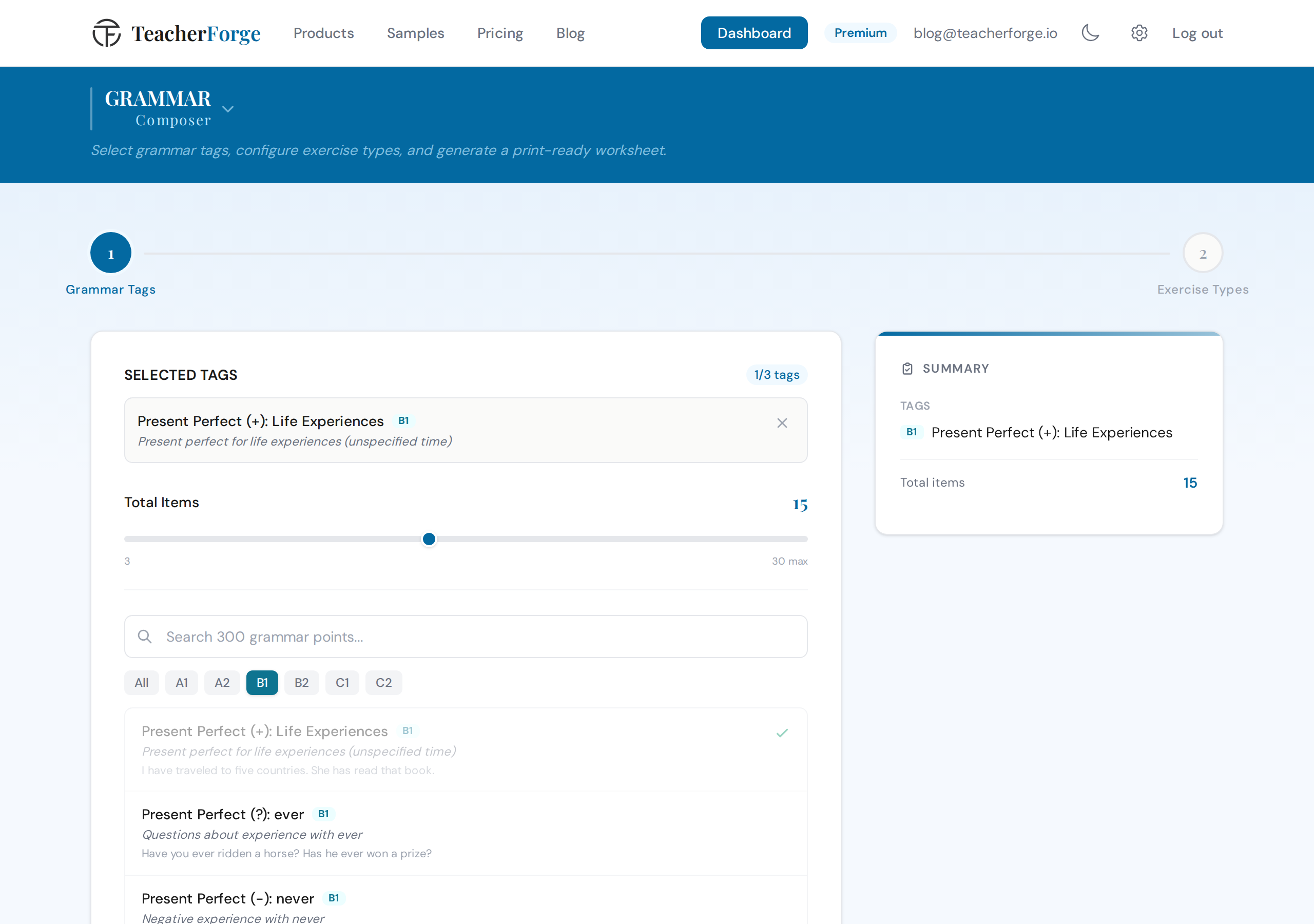
The Vocabulary Composer offers 5 exercise types across three word-entry paths. The Reading Comprehension Composer offers 8 exercise types, several of which are level-gated, with 5 presets, including Cambridge Style and IELTS Style. The Listening Composer offers 7 exercise types with 6 presets, including IELTS Style and Cambridge Style. You can read more about what each exercise type actually tests in the dedicated articles for grammar, vocabulary, and reading.
Config-First Architecture
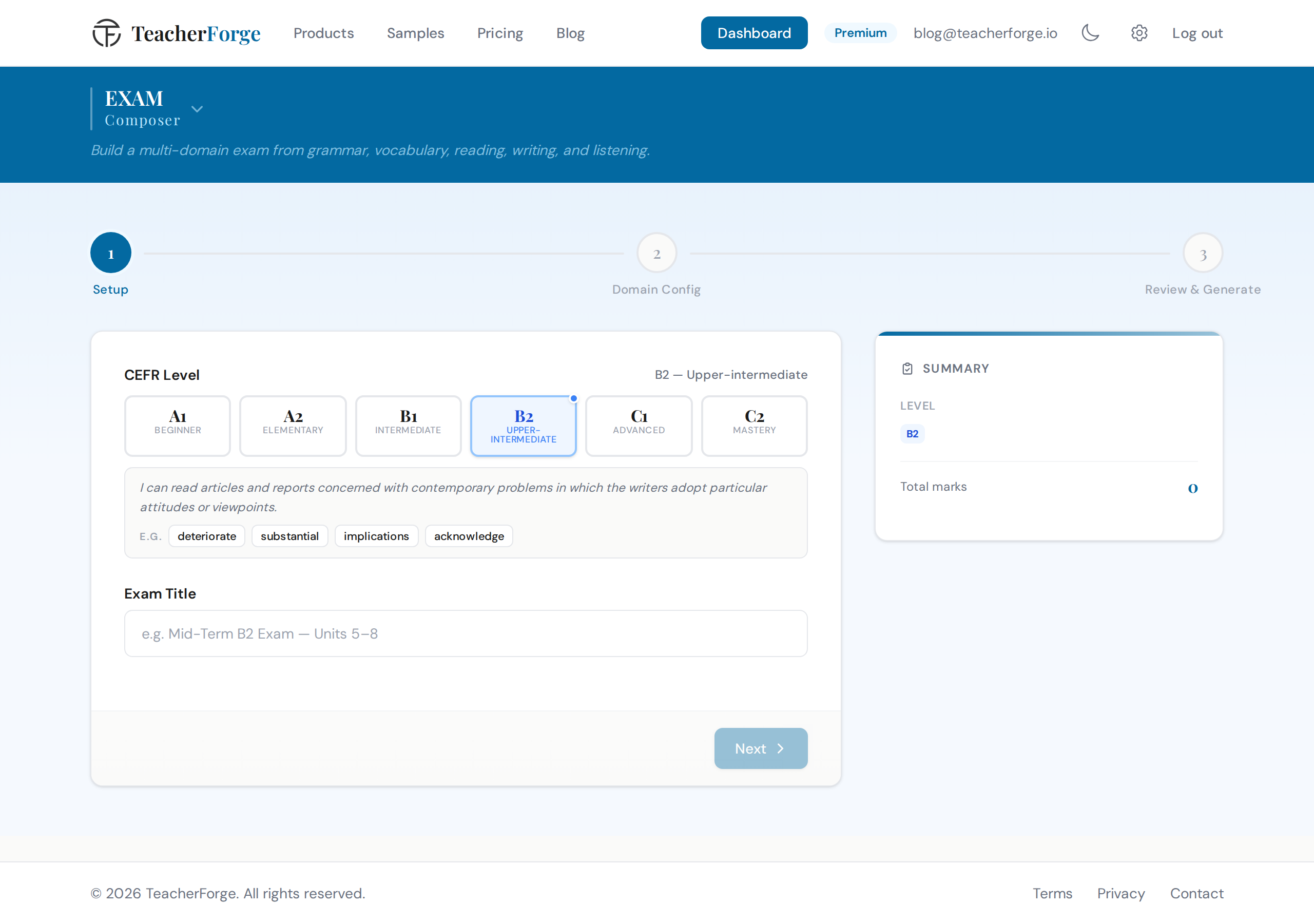
Every TeacherForge composer is config-first. In the Reading Comprehension Composer, the teacher configures the passage (level, topic, text style, length), reviews the generated passage, and then configures the exercises. Nothing is generated until the teacher has made deliberate choices. In the Grammar Composer, the compatibility matrix ensures only valid exercise types appear for each selected tag. In the Exam Composer, the teacher configures every domain before a single word is generated, and a live sidebar tracks the running total marks throughout.
This is the opposite of prompt-and-pray. The teacher's expertise is expressed through configuration, not through hoping the AI interprets a vague instruction correctly. For a deeper look at why this matters, see how config-first generation gets ESL worksheets right the first time.
PDF, DOCX, and Answer Keys as Standard
Every generation produces a student worksheet and a separate answer key, both in PDF and DOCX format. Layout settings (theme, font, page density) are adjustable after generation at no extra cost. The Listening Composer adds a script transcript PDF and an audio MP3 to the download bundle. Grammar worksheets include professionally designed grammar reference notes in the ZIP, covering the grammar points in the worksheet, at no extra credit cost.
Exam Format Presets
The Exam Composer includes presets for Cambridge B2 First (FCE) and Cambridge C1 Advanced (CAE), as well as IELTS-style configurations in the Reading and Listening composers. The reading product's IELTS Style preset (B1 and above) includes true/false/not given, matching headings, note completion, and short answer, reflecting actual IELTS reading task types. The Cambridge presets in the Exam Composer build the Reading and Use of English and Writing papers part by part and lock every mark to the official scheme; there is no grammar section to configure, because the structures tested come from the level, as in the real exam.
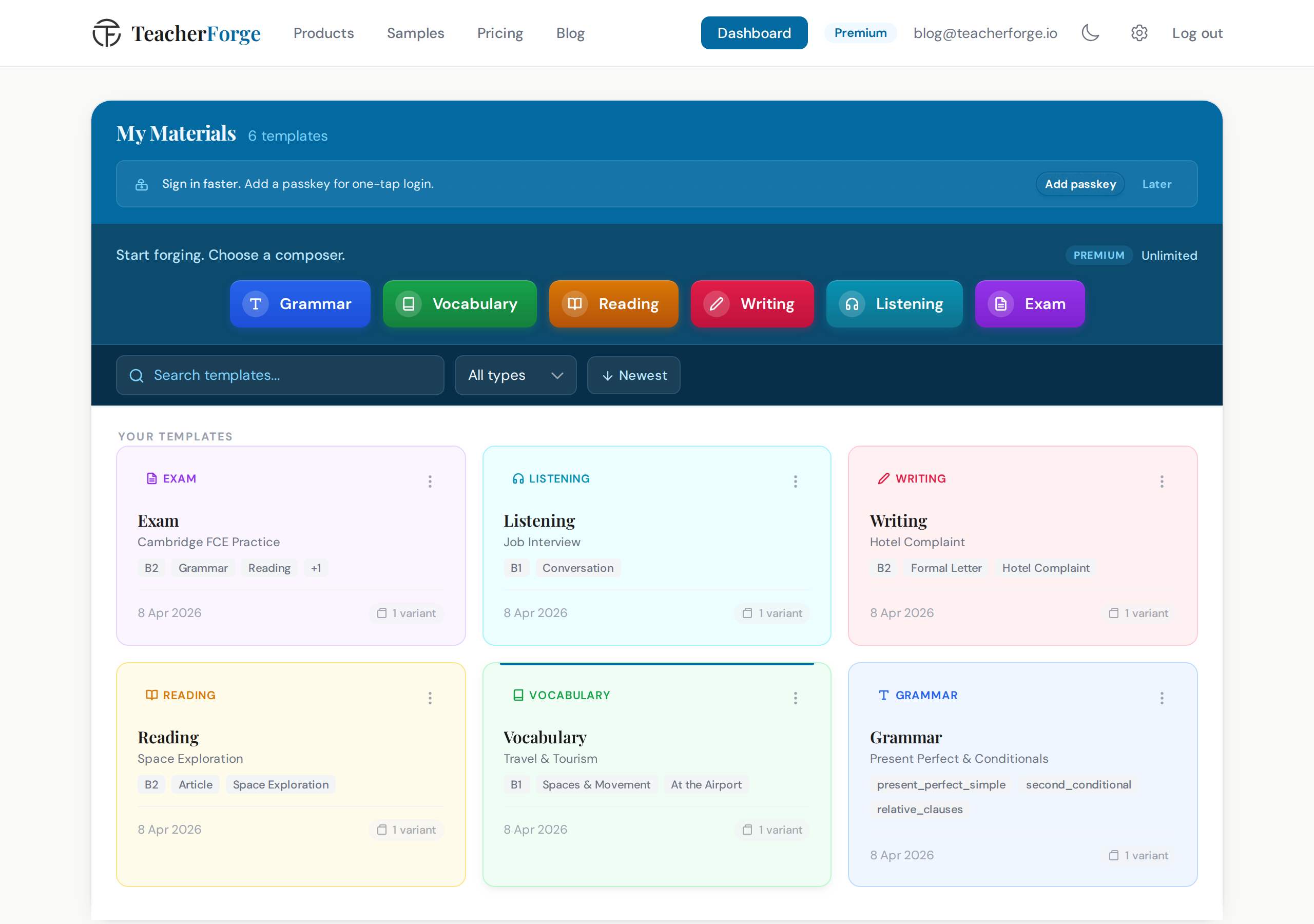
Once a configuration has been generated, it automatically becomes a reusable template on the dashboard. There is no save step. From the dashboard, teachers choose "Regenerate" from any template card's menu to produce fresh exercises with the same configuration, which is useful for parallel classes or retesting.
A Practical Checklist for Evaluating Any AI Worksheet Tool
Before committing to any AI worksheet generator, ESL and EFL teachers should work through these questions.
CEFR and level alignment
- Does the tool use CEFR levels (A1–C2) rather than US grade levels or generic difficulty labels?
- Does the selected level affect exercise types, text complexity, and vocabulary definitions, or is it just a label?
Exercise type variety
- How many exercise types does the tool support per skill area?
- Does it know which types are appropriate for which levels and which language points?
Pre-generation control
- Can you specify exercise types, item counts, and structural parameters before generation?
- Or do you receive output first and edit afterwards?
Output format
- Does it produce print-ready PDFs and editable DOCX files?
- Are student worksheets and answer keys separate?
Exam format support
- Does it support Cambridge or IELTS task types where relevant?
- Are those formats reflected in the exercise structure, not just mentioned in a label?
Reusability
- Can you regenerate fresh variants of a configuration without rebuilding from scratch?
- Is that process automatic or does it require manual saving?
Skill coverage
- Does the tool cover grammar, vocabulary, reading, writing, listening, and exam preparation in one place?
- Or do you need multiple tools to cover all skills?
No tool will score perfectly on every criterion for every teacher. But working through this checklist before trialling a tool will save you the frustration of discovering its ceiling two weeks after you started using it.
Where to Go Next
If you want to see how the individual products work in practice, the articles below walk through each skill area in detail:
- How to Create a Complete ESL Writing Task (Not Just a Prompt)
- How to Create Listening Exercises Without a Recording Studio
- How to Build a Multi-Skill English Exam From Scratch (Without Losing Your Weekend)
- How to Create an ESL Worksheet in 5 Minutes: A Step-by-Step Guide
If you would rather look at the tools than read about them, the ESL worksheet generator covers all six composers in one place. The vocabulary worksheets and listening exercises pages set out what each one produces, down to the exercise types and output formats.
TeacherForge offers 18 free credits at signup, enough to generate materials across several skill areas and see the output for yourself.